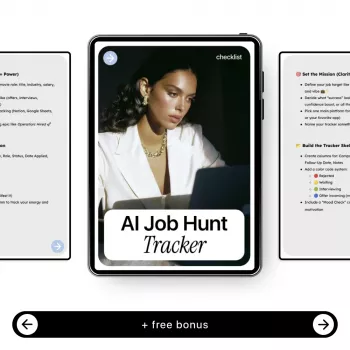
Job searching gets messy fast: roles blur together, follow-ups slip, and versions of resumes and cover letters multiply. An AI-ready tracking system turns the process into a clear workflow—one place to capture leads, tailor materials, schedule outreach, and measure progress without losing momentum. Instead of relying on memory (or a dozen browser tabs), you get a command center that makes the next step obvious every day.
A strong tracker replaces scattered notes, half-finished drafts, and “I’ll follow up tomorrow” reminders that vanish. The goal is simple: keep every application moving forward with minimal friction.
For practical job-search guidance on interviews and preparation, the U.S. Bureau of Labor Statistics overview is a helpful baseline: https://www.bls.gov/ooh/about/employment-interviewing.htm.
Keep the first version simple. You can always add sophistication later, but a lightweight system you actually use beats a perfect system you abandon.
| Column | What to record | Why it helps |
|---|---|---|
| Role + Company | Exact job title and company name | Prevents confusion across similar postings |
| Stage | Pipeline step (Applying, Submitted, Interviewing, etc.) | Shows progress at a glance |
| Posting URL | Direct link to the role | Quick access for tailoring and interview prep |
| Fit score | 1–5 rating based on skills, interest, compensation, mission | Prioritizes highest-return applications |
| Resume version | Filename or doc link | Ensures the right version is reused or updated |
| Cover letter angle | 1–2 lines on the narrative used | Keeps messaging consistent across touchpoints |
| Last contact / Next action | Dates plus the next step | Reduces missed follow-ups |
| Outcome | Rejected, no response, interview, offer, withdrawn | Improves tracking and future strategy |
AI works best when it supports a consistent workflow. The tracker provides the context (role, stage, assets, and next action), and AI handles the repetitive drafting and analysis.
For networking fundamentals and what tends to work, Harvard Business Review’s networking topic hub is a strong reference point: https://hbr.org/topic/networking.
The fastest way to lose time is redoing the same work because you can’t find the “right” draft. Your tracker should make it effortless to locate the exact resume and cover letter you sent—and why you positioned yourself that way.
For additional job-search tools and account features that can support your routine, LinkedIn’s career resources can be useful: https://www.linkedin.com/help/linkedin/topic/a506357.
Include pipeline stages, posting links, role requirements, contacts, follow-up dates, resume/cover letter versions, and outcomes. Prioritize next-action dates and direct links to the exact documents you sent.
A practical cadence is 3–5 business days after applying, then 7–10 business days after the first follow-up. Always follow employer instructions and avoid excessive messaging if they request no calls or no follow-ups.
Yes—use AI to propose structure and stronger bullets, then ground every line with your real tools, metrics, and specific examples. Keep your voice consistent, verify accuracy, and edit until it reads like a confident human summary of your work.











Leave a comment