
Consistent, on-brand captions can be one of the hardest parts of posting on Instagram—especially when time, ideas, and clarity compete with running a business or creating daily. A practical AI-assisted workflow helps you write faster without losing your voice, while improving consistency from post to post. Below is a simple, repeatable approach you can put into action quickly—and a clear path to implementing it with Caption Magic: Using AI to Transform Your Instagram (eBook guide).
Instagram is visual, but captions do the work visuals can’t: they explain the “why,” add nuance, and guide someone toward a next step. When a post is easy to understand and easy to act on, it’s more likely to earn saves, shares, and meaningful comments.
Captions also support accessibility and comprehension by clarifying what’s happening on screen. For small businesses, the caption often acts like a mini landing page—positioning your offer, providing proof, and delivering a call to action in a few lines. If the visual is the “stop,” the caption is the “stay, understand, and do something.”
AI can speed up the parts that usually slow creators down: brainstorming hooks, suggesting angles, turning scattered notes into a clean structure, and generating variations you can test over time. It’s also great at applying reusable templates—so your posts feel cohesive even when you’re batching content quickly.
But AI can’t replace real customer insight or your lived experience. It also won’t reliably protect you from inaccuracies, overclaims, or missing context. That’s why every AI draft needs a human pass for tone, product details, and compliance—especially if you’re in categories where promises can get risky (health, finance, or performance-related claims). For platform rules and best practices, use the Instagram Help Center as a reference point.
The goal isn’t to “let AI write your captions.” The goal is to build a workflow where AI accelerates the drafting, and you handle the parts that make the caption sound like you: specifics, perspective, and standards.
| Step | What to produce | Time target | Quality check |
|---|---|---|---|
| Goal | One sentence outcome for the post | 30 seconds | Is the goal measurable (save, click, reply, DM)? |
| Inputs | Pain point + POV + proof + CTA | 2 minutes | Does it include at least one specific detail? |
| Drafts | 3 variations (short/medium/long) | 3–5 minutes | Do they sound like the same brand? |
| Edit | Tighten hook, add specificity, remove fluff | 3 minutes | Any unsupported claims or overpromises? |
| Publish | One CTA + aligned hashtags (optional) | 1 minute | Does CTA match the post goal? |
Keep it simple: one primary goal per post (educate, entertain, build trust, drive clicks, or generate replies). Collect raw inputs fast: the audience pain point, your point of view, one proof point (a result, a process step, a customer quote, a number), and the desired action.
Then generate three options: a short punchy caption, a medium story-plus-value caption, and a long teaching caption with a clear CTA. Edit for voice by cutting generic lines, inserting one concrete detail, and aligning the hook with what the viewer sees in the first second. Finish with one CTA—“save this,” “comment a keyword,” “DM for details,” or “tap the link in bio.”
Frameworks keep you from reinventing the wheel every day. Rotate a few that fit your brand and offers:
If you’re promoting products, partnerships, or affiliate offers, disclosures should be clear and unmissable. The FTC guidance on disclosures in advertising is a helpful baseline for staying transparent.
If your content ties into a specific niche, pairing caption systems with niche resources can make creation even faster. For example, fashion creators who plan outfits for shoots may like Minimal Trends Toolkit for Outfit Planning: 3-in-1 Bundle of Guides, eBooks & Checklists, while fitness creators mapping education posts around movement can reference Mastering Mobility & Flexibility for Peak Performance – Athlete & Everyday Movement eBook for topic ideas and structure.
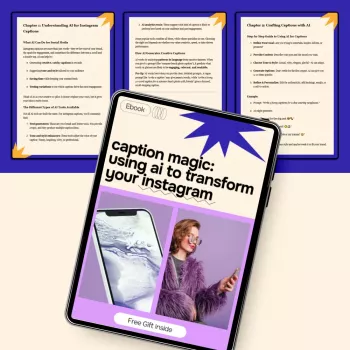
If you want a clear setup-to-posting system, Caption Magic: Using AI to Transform Your Instagram (eBook guide) is designed to help you define your voice, choose frameworks, and create reusable templates that you can batch weekly. Use it to support product drops, service launches, testimonials, and educational posts—without losing consistency.
They can if you feed AI vague inputs and publish without editing. Add a mini style guide, require one specific detail per caption, and do a quick human edit pass to keep your voice and perspective intact.
Match the length to the post goal and format: shorter tends to work well for reels, medium captions often drive comments, and longer captions fit teaching posts. Prioritize clarity, scannability, and one clear call to action.
Yes, as long as you review for accuracy, avoid misleading claims, and include any required disclosures for sponsored or affiliate content. Treat AI as a drafting tool, not the final approval.












Leave a comment